Beading Software: How to Choose the Right Pattern App
A task-first comparison of Beadographer, BeadTool 4, Perlypop, and BeadsHub.
BeadsHub Studio
Author
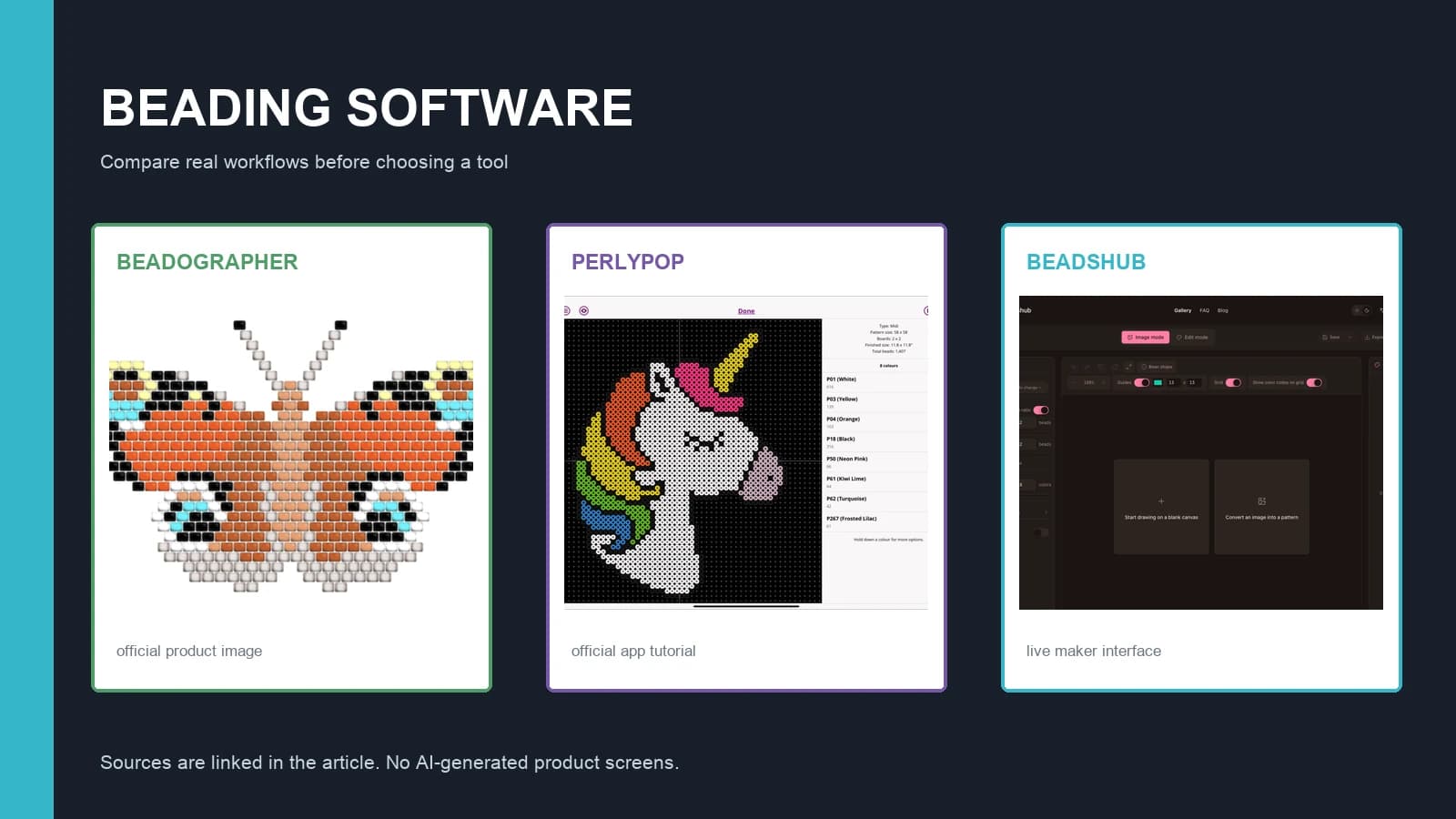
The right beading software starts with the object you intend to make. A peyote bracelet, loom panel, circular medallion, and fuse-bead picture may all look like colored grids on screen, but their row offsets, palettes, material lists, and instructions are different.
This guide compares four current options without declaring one universal winner: Beadographer, BeadTool 4, Perlypop, and BeadsHub. The feature and price details below were checked against official pages on August 1, 2026. Software changes, so verify compatibility and current terms before paying.
Use the comparison to identify a fit, then test the smallest real project you make. A long feature list is less useful than a correct stitch layout and an export you can follow at the worktable.
Start with the bead craft, not the app
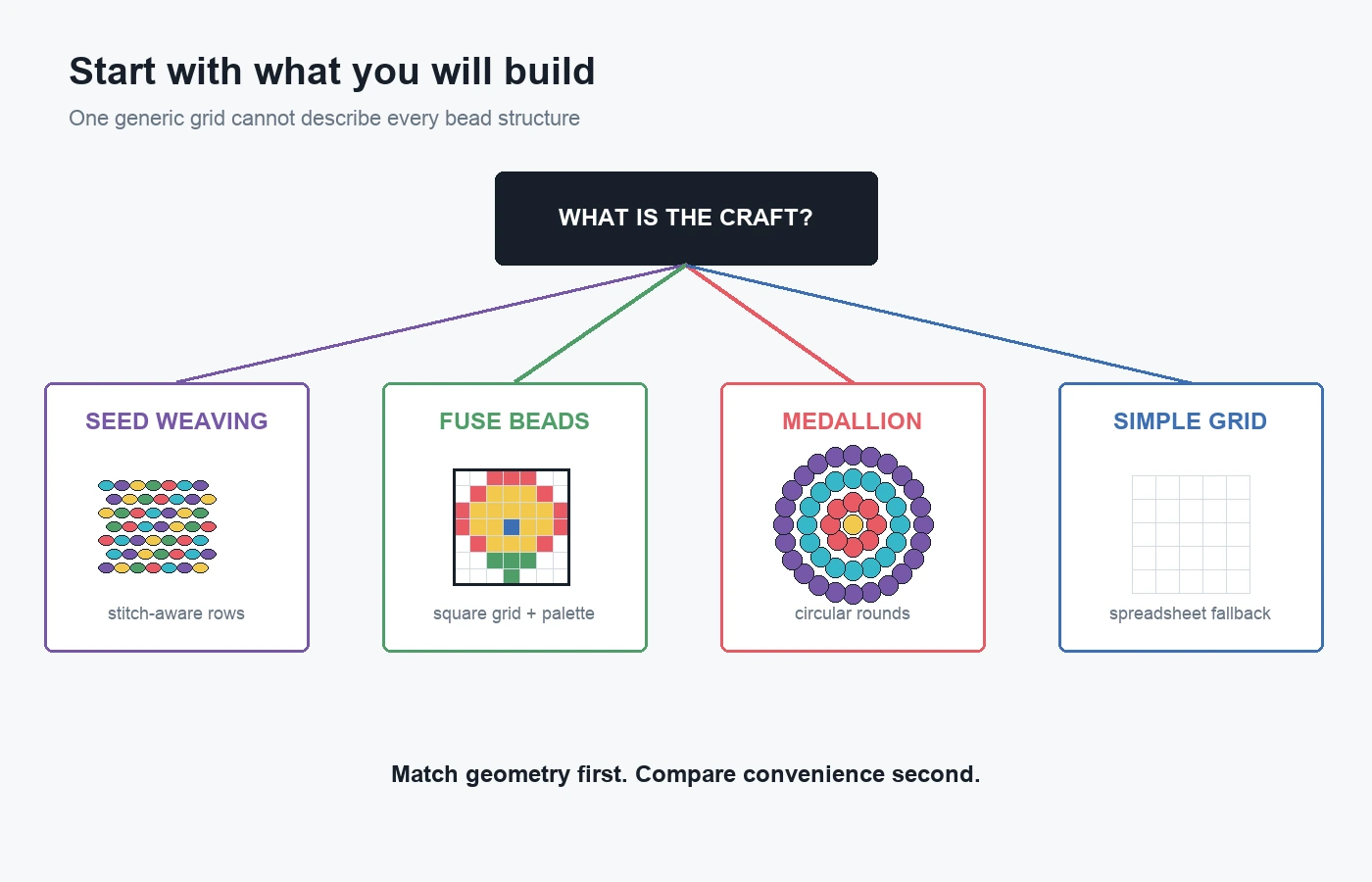
Seed-bead weaving needs stitch geometry
Peyote and brick stitch use staggered rows. Loom and square stitch use straight rows, while tubular and multi-drop patterns add other structural rules. A generic square pixel editor cannot automatically produce correct thread paths, row order, or word charts for those techniques.
Choose a dedicated beadwork program when the output must include stitch-aware rows, bead sequences, or a chart a customer can follow. Confirm the exact stitch before comparing palettes or visual effects.
Fuse beads need a square grid and real palettes
Perler, Hama, Artkal, Nabbi, and similar fuse beads sit on pegboards. Useful software should map one cell to one bead, let you choose the board dimensions, match colors to a relevant product palette, count materials, and export a readable grid.
A fuse-bead app does not need peyote or loom instructions. It does need practical control over image reduction, colors, cells, and printable output. The Perler pattern-making guide explains that workflow separately.
Medallions need circular layouts
A circular seed-bead medallion expands by rounds rather than rectangular rows. Software that explicitly supports medallion or Huichol layouts is more appropriate than stretching a square grid into a circle.
Beading software comparison at a glance
The table describes practical fit, not a score. A blank capability is not a quality judgment; it means the program serves a different craft or device.
| Software | Primary fit | Platform stated by the provider | Palette and output highlights | Price model checked Aug. 1, 2026 |
|---|---|---|---|---|
| Beadographer | Seed-bead stitches, fuse beads, medallions | Browser app developed for Windows, Mac, and iPad; Chrome recommended | Miyuki, TOHO, and plastic fuse-bead libraries; screenshots free; member PDF, word chart, bead list, saving, and inventory | Free version; membership $14.99/year |
| BeadTool 4 | Desktop seed-bead pattern design | Windows; Intel Mac with important OS limits | Multiple stitch layouts, brand palettes, photo import, customizable print/PDF | $49.95 license |
| Perlypop | Mobile fuse-bead patterns | iPhone and iPad | Perler, Hama, Artkal, and Nabbi; Midi/Mini; photo conversion, drawing, PDF, progress tracking | Free download with in-app purchases |
| BeadsHub | Browser fuse-bead image conversion and editing | Modern browser | Fuse-bead palettes, grid sizing, color control, bead counts, pattern saving, PDF | Free browser workflow |
Treat platform cells carefully. “Browser app” does not guarantee that every phone or browser is supported. Beadographer recommends Chrome and says it is developed for Windows, Mac OS X, and iPad; users on other devices may encounter errors. BeadsHub runs in the browser, but a desktop-sized screen is more comfortable for detailed cell editing.
Beadographer: broad craft coverage in a browser
Beadographer's official site describes 17 layouts, including loom, tapestry, peyote, brick, herringbone, right-angle weave, fringe earrings, plastic fuse beads, medallions, and Huichol patterns. This makes it the broadest craft match in this four-product comparison.
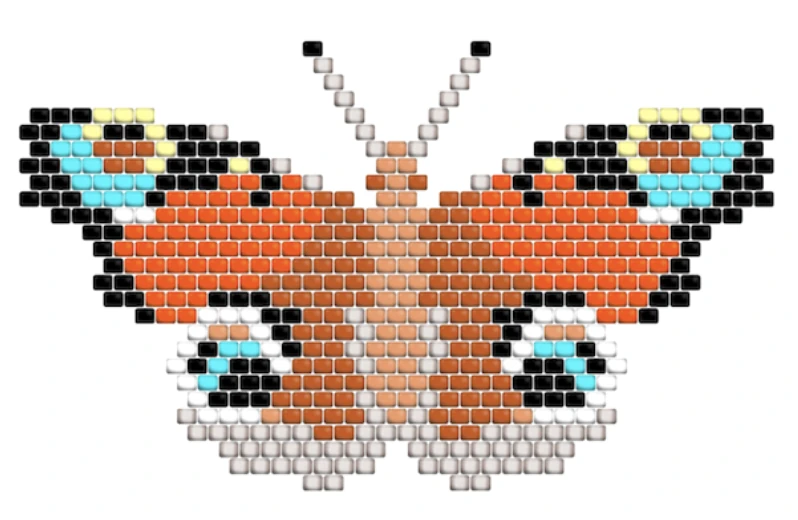
Source: Beadographer official website. Shown for editorial comparison.
The free version works without registration and supports drawing, beading mode, image conversion, product browsing, and screenshots. Its official free-versus-membership page lists the paid features: loading and saving designs, custom collections, inventory management, shared design files, and PDF exports with diagrams and word charts. The listed membership price was $14.99 per year when checked.
Choose it when: you move between seed-bead layouts, fuse beads, and circular work, or want to test a capable editor before subscribing.
Check first: whether your device/browser is in the recommended environment and whether screenshot output is enough. Long projects that need saved editable files or formal PDFs require the member features.
BeadTool 4: desktop seed-bead design with strict compatibility limits
BeadTool's official product page lists loom and square stitch, brick stitch, one- through nine-drop peyote, tubular peyote, Native American gourd, and right-angle weave. It includes drawing and transformation tools, bead-brand palettes, common image import formats, a searchable local project database, and print/PDF layout control.
The same page lists a new BeadTool 4 license at $49.95. This is a one-time version license rather than the annual model described by Beadographer.
Compatibility is the deciding constraint. The developer says BeadTool runs on Windows and Intel-architecture Macs, not Android, iOS, Linux, or Chromebook. It also carries a prominent warning that it does not work on macOS 26 Tahoe or above. A Mac owner should verify the exact processor and operating-system version before downloading or buying.
Choose it when: you want a desktop program for supported seed-bead stitches, local project organization, image import, and controlled seller-facing print layouts.
Check first: run the free download on the exact computer. Do not assume “Mac” means Apple silicon or the current macOS release.
Perlypop: an iPhone and iPad fuse-bead app
The official Perlypop App Store listing describes photo conversion and manual drawing, Perler, Hama, Artkal, and Nabbi palettes, Midi and Mini sizes, printable PDF export, and in-app build-progress tracking. It is designed for iPhone and iPad.
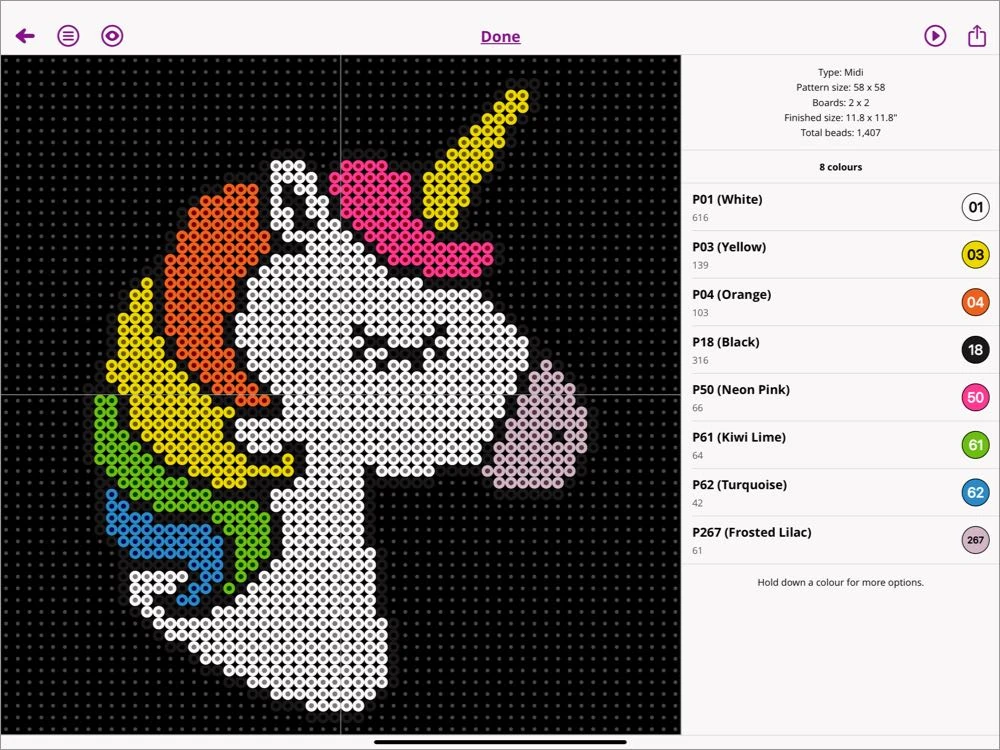
Source: Perlypop official drawing guide. Shown for editorial comparison.
That combination suits a maker who photographs sources, edits a fuse-bead design, and follows it beside the pegboard on the same mobile device. Progress tracking is particularly relevant when a large grid is built over several sessions.
Choose it when: your craft is fuse beads and your main device is an iPhone or iPad.
Check first: the App Store lists a free download with in-app purchases. Review the current purchase screen for the features you need; this guide does not infer an unlock price. It is not presented as a seed-bead stitch editor.
BeadsHub: a browser fuse-bead converter and editor
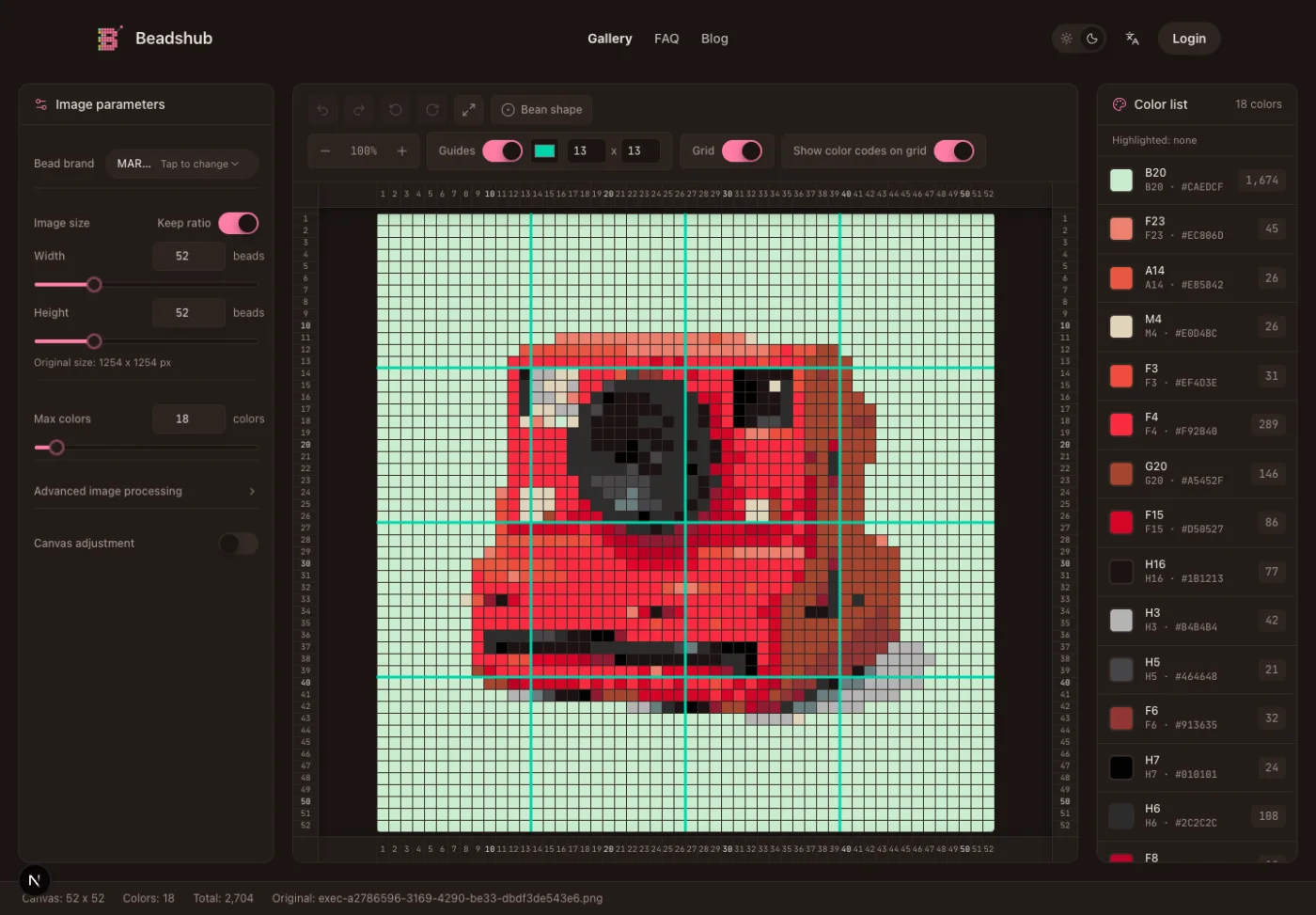
The BeadsHub pattern maker turns a local image into a square fuse-bead grid in the browser. You can choose dimensions and a supported fuse-bead palette, reduce colors, edit cells, view codes and guides, see bead usage, save patterns, and export a printable PDF.
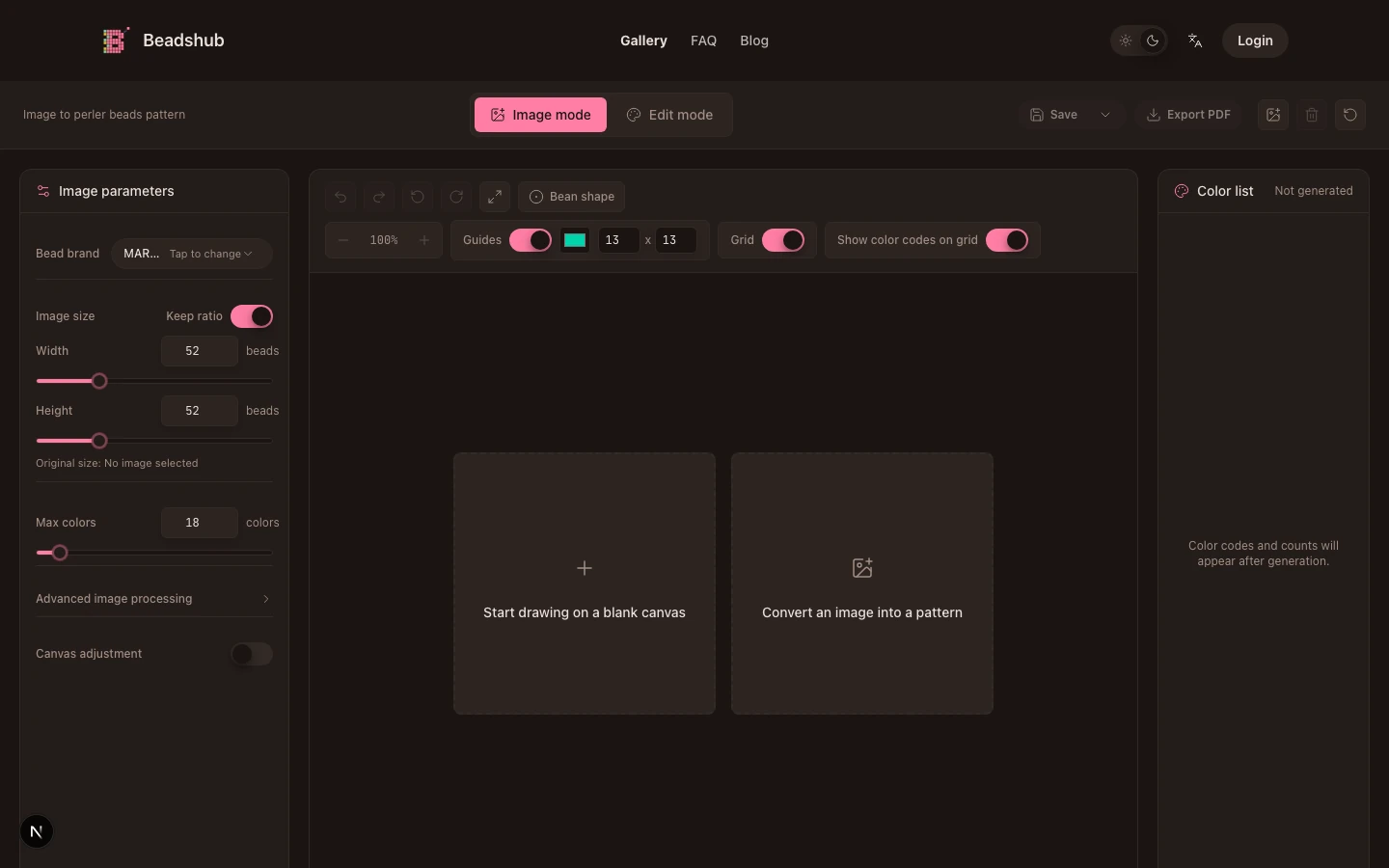
Source: BeadsHub live interface captured locally on August 1, 2026.
Uploaded image processing happens locally in the browser. The tool is designed around Perler, Hama, Artkal, MARD, and other fuse-bead palette data already included in the app. Its useful role in this comparison is image-to-grid preparation followed by cell-level cleanup.
BeadsHub is not seed-bead weaving software. It does not generate peyote, brick, loom, tubular, or medallion stitch paths, and it is not an inventory manager. A reader who needs those outputs should choose a stitch-aware option instead.
Choose it when: you need a browser-based fuse-bead draft with a physical palette, material counts, editing, and a printable grid.
Check first: confirm that the included palette matches the bead brand and series you own. Screen color remains an approximation; compare critical shades with physical beads before building.
When a spreadsheet or pixel editor is enough
You may not need dedicated software for a simple square design. A spreadsheet can create countable cells, repeated shapes, coordinates, and a printable grid; the spreadsheet pixel art guide shows the complete setup. A pixel editor also works for manual square-grid art.
These low-cost alternatives are reasonable when you already know the dimensions and colors. They become weak choices when you need stitch geometry, official bead codes, inventory tracking, bead sequences, or a seller-ready pattern document. Manual color names in a spreadsheet are not the same as a maintained product library.
A six-step checklist before choosing
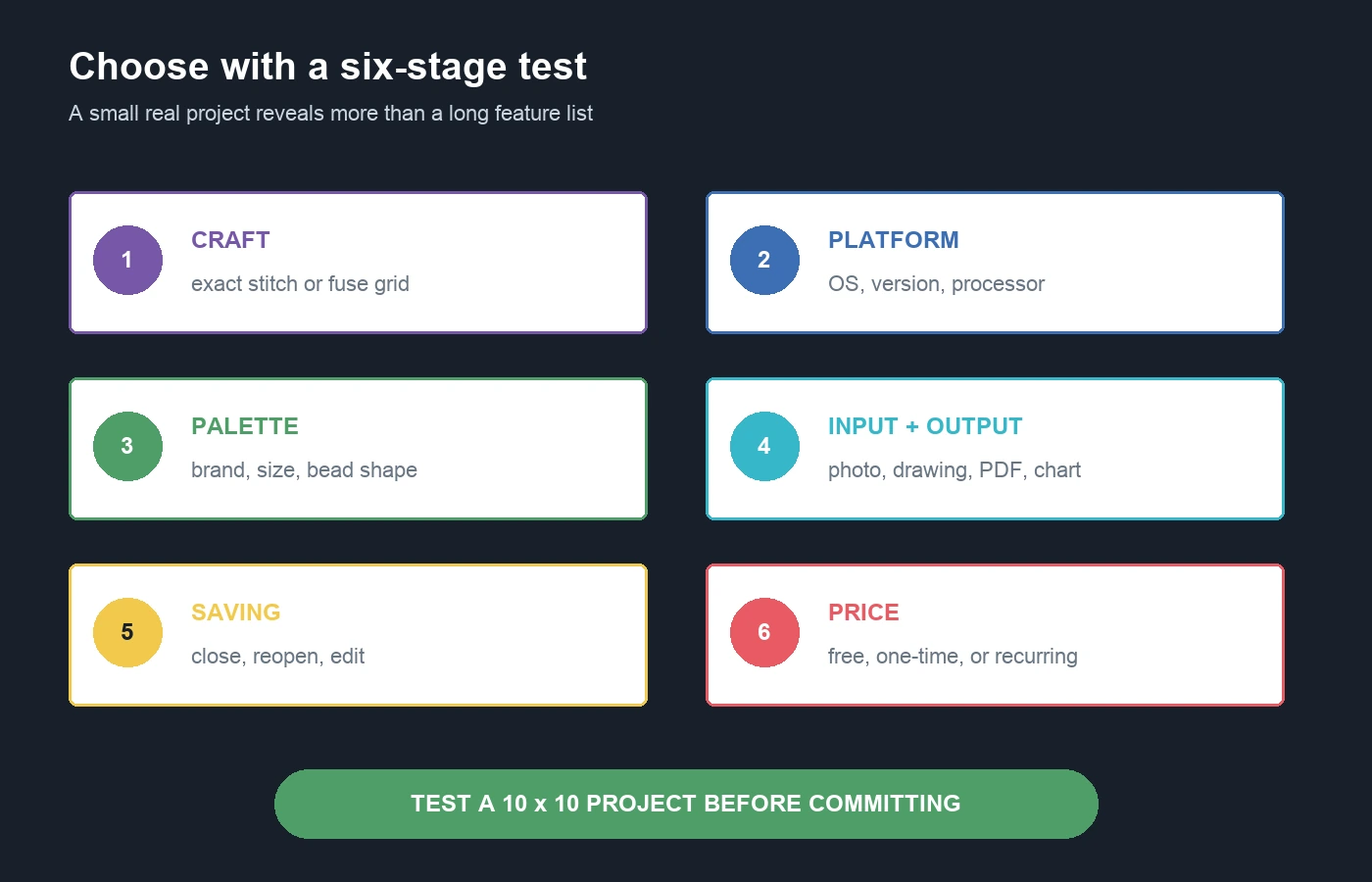
- Name the exact craft. Write fuse beads, loom, peyote, brick, tubular, or medallion. Do not accept a generic “beads” label.
- Confirm the device. Record the operating system, version, processor where relevant, and preferred browser. Test compatibility before purchase.
- Inspect the palette. Look for the actual brand and bead shape or size you own. A Miyuki Delica list cannot substitute for a Perler Midi palette.
- Define the input. Decide whether you will draw from a blank grid, import a photograph, or modify an existing pattern.
- Define the output. A personal screenshot, row-by-row word chart, material list, printable PDF, and commercial pattern package are different deliverables.
- Test saving and cost. Confirm how projects remain editable, what the free tier exports, and whether the payment is one-time, in-app, or recurring.
Complete a 10 x 10 or similarly small test before committing a large project. Import or draw a few colors, save and reopen the file, export the intended document, and inspect it at print size. This exposes a wrong stitch layout or unsupported workflow before hours of design work.
Beading software FAQ
Is there free beading software?
Yes. Beadographer describes a functioning free version, BeadsHub provides a free browser workflow for fuse beads, and Perlypop is free to download with in-app purchases. Free output and saving limits differ, so test the deliverable you need.
Can a bead pattern app convert a photo?
Several can. Beadographer, BeadTool, Perlypop, and BeadsHub each describe photo or image conversion, but their grids and palettes serve different crafts. Conversion still needs manual cleanup.
Which type of app should I use for Perler beads?
Choose a square-grid fuse-bead app with the palette, grid size, counts, and export you need. Perlypop, Beadographer's plastic fuse-bead layouts, and BeadsHub are relevant candidates in this comparison. BeadTool's listed focus is seed-bead stitches.
What should pattern sellers check?
Check commercial terms, editable saving, print layout, word charts where required, material legends, PDF quality, and the right to use imported source images. Software features do not grant rights to copyrighted characters or photographs.
How often should I recheck compatibility and price?
Check before every paid purchase or major operating-system upgrade. Compatibility can change faster than a craft workflow, as the current BeadTool macOS 26 warning demonstrates.
Good beading software matches the physical construction, supported device, bead catalog, and final document. Decide those requirements first, then compare a small real project instead of choosing by the longest feature list.