Pokemon Perler Bead Patterns: 10 Project Ideas
Compare ten Pokémon fuse-bead project routes, licensed pattern sources, practical size choices, color plans, and build methods without relying on copied pattern files.
BeadsHub Studio
Author
The most useful pokemon perler bead patterns are not always the biggest or most detailed. A compact icon can fit one board and finish in an afternoon, while a full Eeveelution lineup may need several connected boards, thousands of beads, and a careful section plan. The right choice depends on the source, grid size, palette, and way you intend to display the finished piece.
This guide compares ten project routes without reposting copyrighted grids. It also covers licensed kits and personal planning from an image you are allowed to use.
Sources, image licenses, and Pokémon rights
The three Pokémon craft photographs are real projects, not AI images. The Pikachu hero is a CC0 photograph from PxHere. Glugglor published the Haunter image under CC BY-SA 3.0 and the Scyther image under CC BY 3.0. Each image is credited again at its point of use.
Those licenses cover the photographs or artist-posted works, not Pokémon characters, sprites, names, or trademarks. BeadsHub is not affiliated with Nintendo, Creatures, GAME FREAK, The Pokémon Company, Kawada, Perler, or Hama.
This page does not host downloadable Pokémon pattern sheets. A photo license, free download, or purchased kit is not automatically a commercial character license.
Four safer ways to find a usable pattern
Use this source order before building:
- A current licensed kit. Its pattern, board, and palette were packaged together. Check territory restrictions.
- Your own fan design. Convert your original drawing into a grid for personal crafting.
- An image you may adapt. Check attribution, derivative-work, and commercial-use terms; a repost proves nothing.
- A creator-shared pattern with explicit terms. Use the original page, not a pin, preview, screenshot, or file mirror.
“Free Pokemon pattern” may mean free to view, not free to redistribute or sell. Link to the original source instead of copying its grid.
Current licensed Perler kit options
Kawada's official Japanese Perler catalog documents licensed products whose patterns, boards, and supplied colors form one package. Licensing can limit items by territory, so check availability before ordering.
| Official product | Included pattern scope | Beads and colors | Board and tools | Practical use |
|---|---|---|---|---|
| Pokémon Plenty Set, item 80-57079 | 19 designs: 18 Pokémon and one Poké Ball | About 3,000 beads in 38 colors | Transparent large square board, tweezers, ironing paper, pattern sheet | Broadest licensed starting collection |
| Poképeace Pikachu set, item 80-53547 | One full-size Pikachu pattern | About 200 beads in 4 colors | Connectable transparent small square board, ironing paper | Small first character project |
| Poképeace Pichu set, item 80-53550 | One full-size Pichu pattern | About 200 beads in 4 colors | Connectable transparent small square board, ironing paper | Small pastel character project |
| Poképeace Scorbunny set, item 80-53549 | One full-size Scorbunny pattern | About 200 beads in 5 colors | Connectable transparent small square board, ironing paper | Small project with one extra accent color |
The catalog lists these as 2024 Japanese releases for ages five and up. An adult must still control the iron. Because contents and availability can change, verify the linked catalog instead of a copied marketplace description.
Kawada prohibits unauthorized copying of its site content, so this guide links to the catalog without reproducing its photos or pattern sheets.
Ten Pokemon Perler bead project ideas
The size bands below are planning categories, not official pattern dimensions. Count the pegs on your own board and preview the exact grid before buying beads.
| Project route | Starting size | Color pressure | Main challenge |
|---|---|---|---|
| 1. Poké Ball icon | Small | Low: red, white, black, optional grey | Keeping the circle readable on a coarse grid |
| 2. Compact Pikachu face | Small | Low to medium | Preserving ears, eyes, cheeks, and outline |
| 3. Full-body Pikachu | Medium | Medium | Separating limbs and tail from the body |
| 4. Eevee portrait | Medium | Medium | Distinguishing brown fur planes and cream collar |
| 5. Mimikyu silhouette | Medium | Low to medium | Keeping the crooked disguise intentional rather than noisy |
| 6. Jolteon action pose | Medium to large | Medium | Rendering spikes without fragile one-bead tips |
| 7. Single Eeveelution portrait | Medium | Medium to high | Matching each evolution's defining palette and silhouette |
| 8. Eeveelution lineup | Large, multi-board | High | Consistent scale, spacing, and many colors |
| 9. Game Boy-style Haunter | Medium to large | Low | Strong monochrome contrast and stable outer edges |
| 10. Large Scyther display | Large, multi-board | Medium | Board seams, narrow limbs, wings, and controlled fusing |
Start with an icon or compact face
A Poké Ball-style icon is the easiest pokemon perler bead pattern route: recognition comes from a circle, horizontal division, and center button. Keep it symmetrical and test the silhouette on paper first. “Pokemon ball perler” is a common search phrase; the official object name is Poké Ball.
A compact Pikachu face adds detail without requiring a full body. Place the outline, eyes, and cheeks before filling yellow. For Pikachu Hama beads, match colors from your physical Hama stock rather than treating Perler codes as interchangeable.
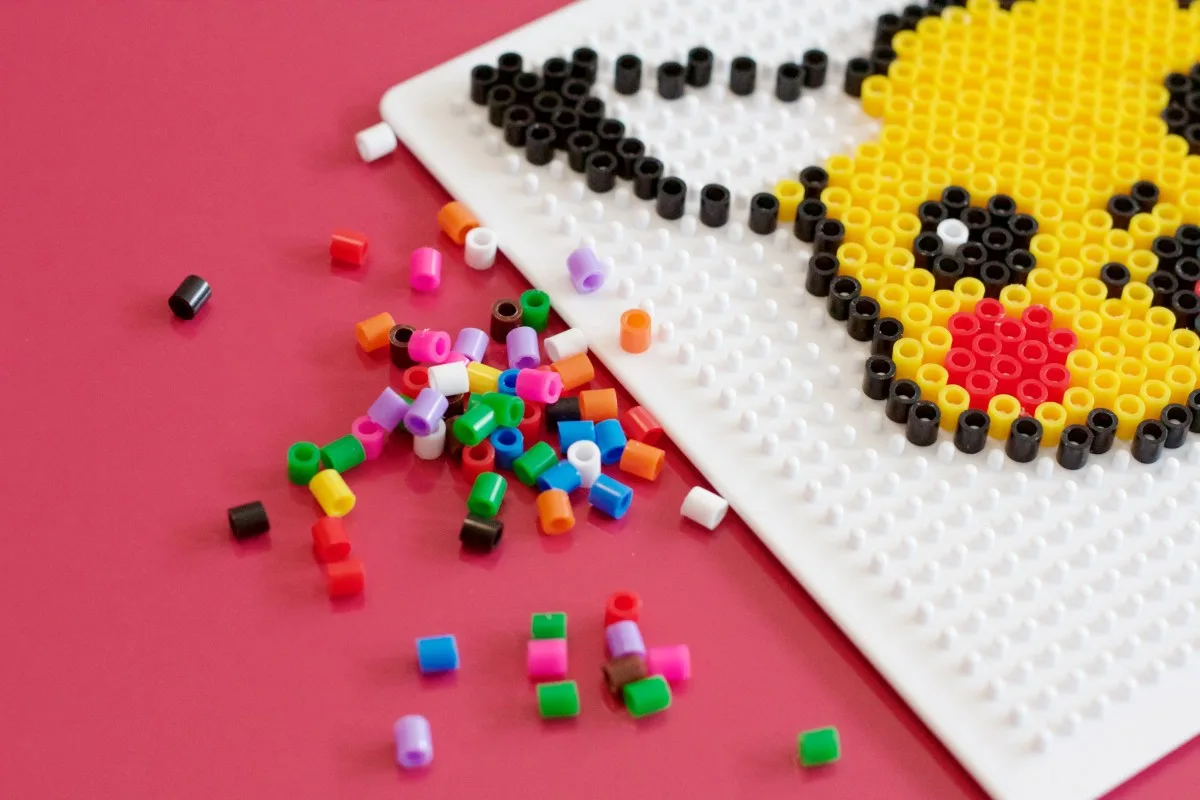
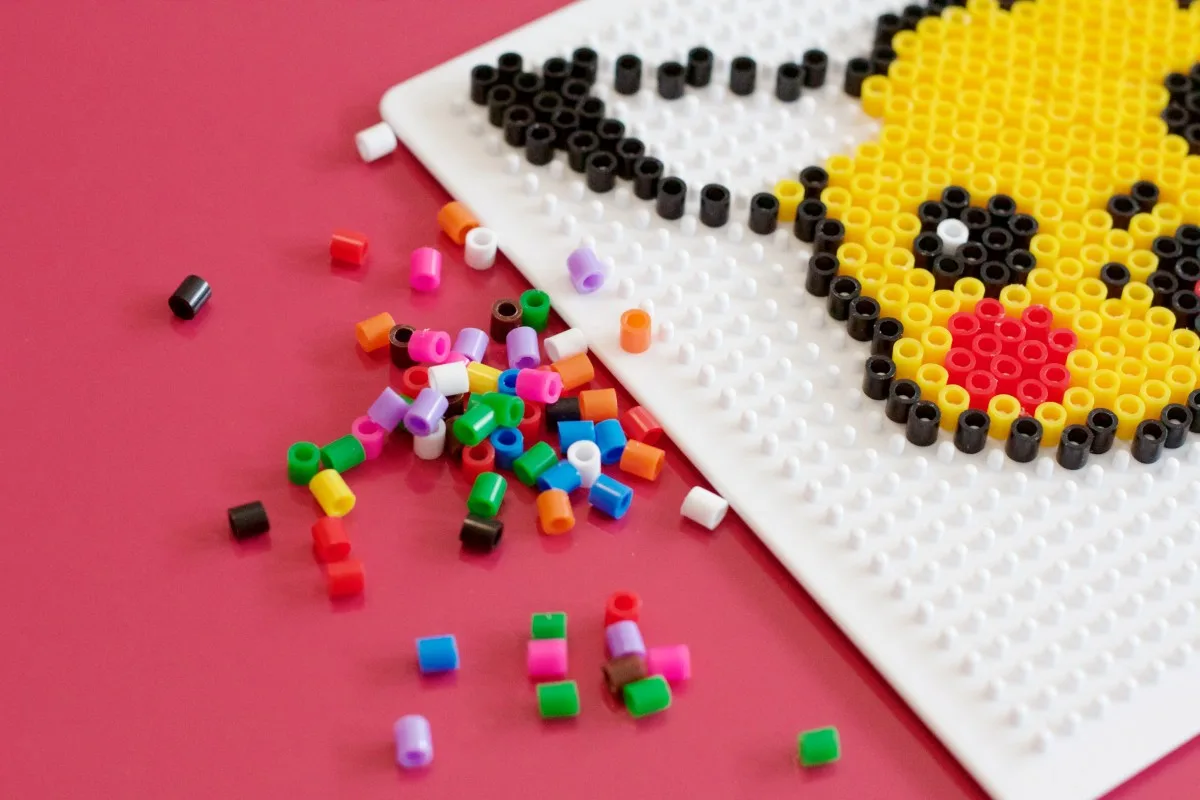
Photo source: PxHere image 580898, released under CC0. The photo shows real fuse beads and a work-in-progress board; it is not a downloadable pattern.
Use a portrait before a full character lineup
An Eevee portrait gives the face, ears, and collar more grid space than a full-body pose. For a Perler Eevee project, protect those recognition points before adding subtle shading.
Mimikyu needs few colors, but its uneven silhouette can resemble conversion noise. Jolteon's spikes are recognizable, yet one-bead tips break easily. Preserve deliberate edges and thicken weak joins.
For Eeveelution Perler beads, use one portrait box, baseline, and eye height. Fuse one character first; continue only if that shared scale reads clearly.
Scale up only when the subject needs it
Glugglor's Haunter and Scyther projects show two reasons to use multiple boards. The monochrome Haunter needs enough cells for expression and large hands. Scyther needs room for wings, blades, legs, and an outer silhouette with many narrow transitions.
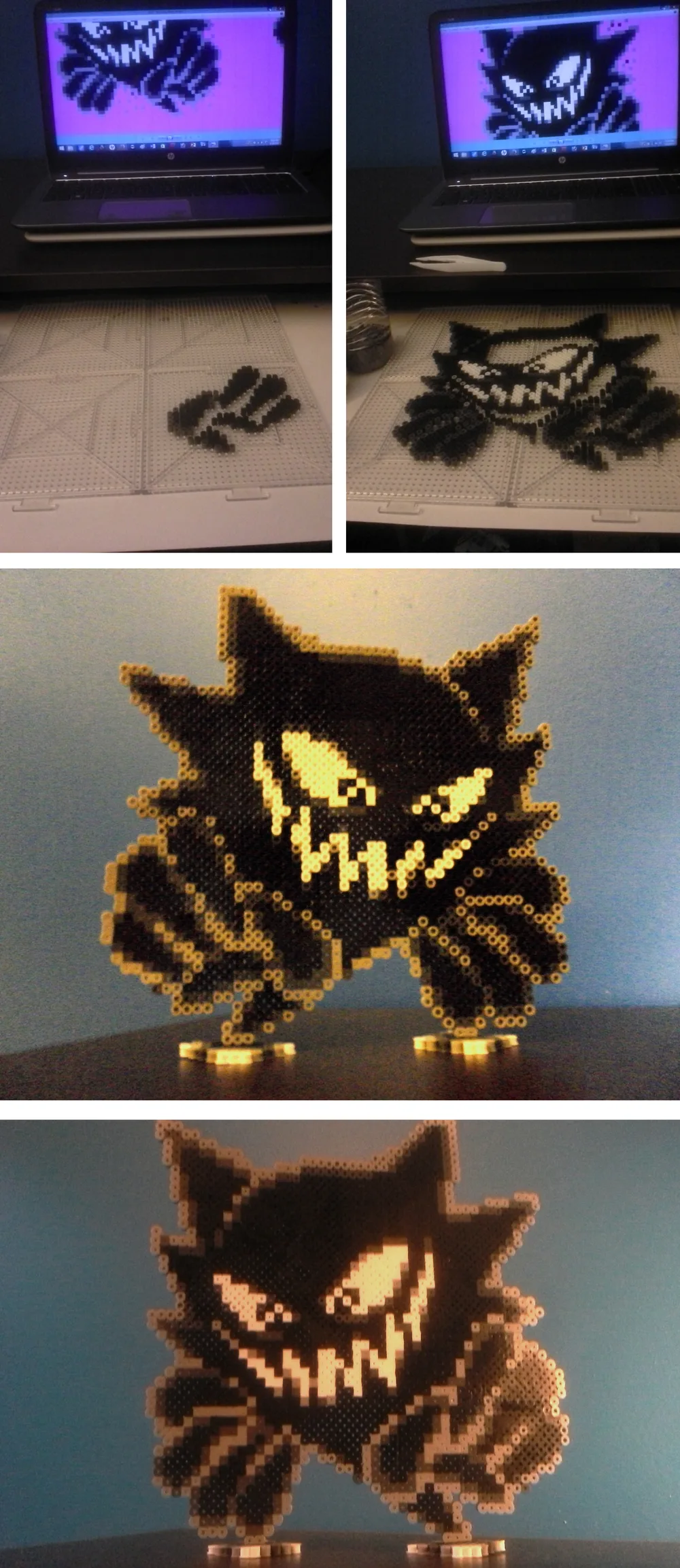
Artwork and process collage by Glugglor on Newgrounds, reused under CC BY-SA 3.0. The artist credits A.J. Nitro for the source sprite. This resized copy is distributed under the same license.
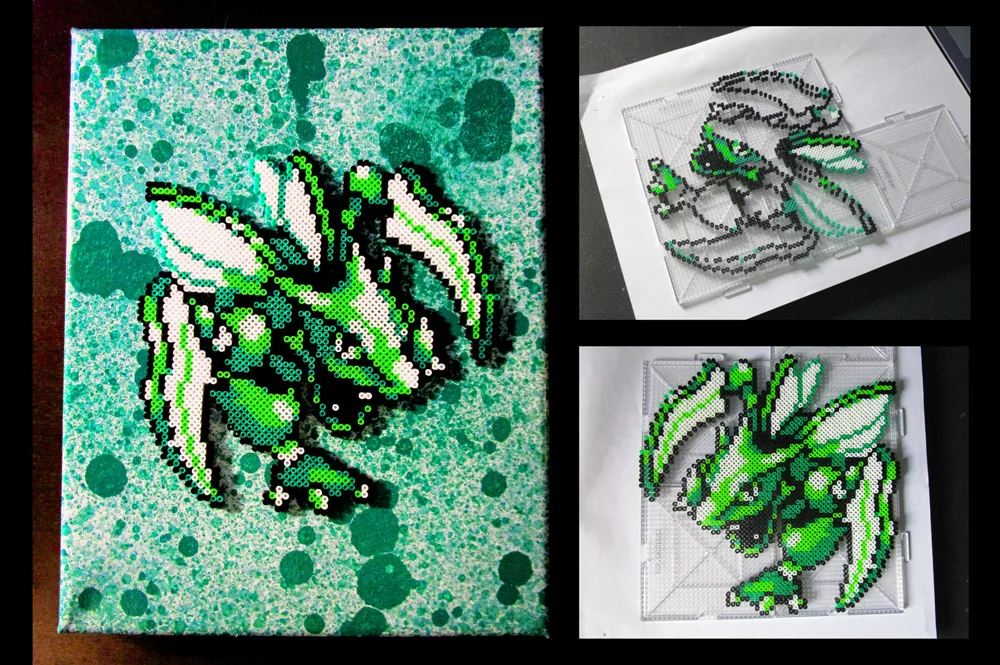
Artwork and process collage by Glugglor on Newgrounds, reused under CC BY 3.0. The source shows the real board layout and finished craft.
Choose the grid before the colors
Grid size controls recognition, bead count, and board count. Decide which features must survive before choosing colors:
- Small grid: one icon, head, or simplified pose with a bold outline.
- Medium grid: a full character or portrait with facial features and limited shading.
- Large grid: dynamic poses, wings, multiple characters, text, or a collection at consistent scale.
View the image at thumbnail size. If the silhouette and face are unclear, crop the background and compare two grid widths; extra colors will not rescue weak geometry. Our pixel art grid guide explains cells, guides, and scale.
Map every board seam before placement. Shift narrow limbs, tails, ears, and one-bead bridges away from seams when possible.
Make a personal planning grid from a permitted image
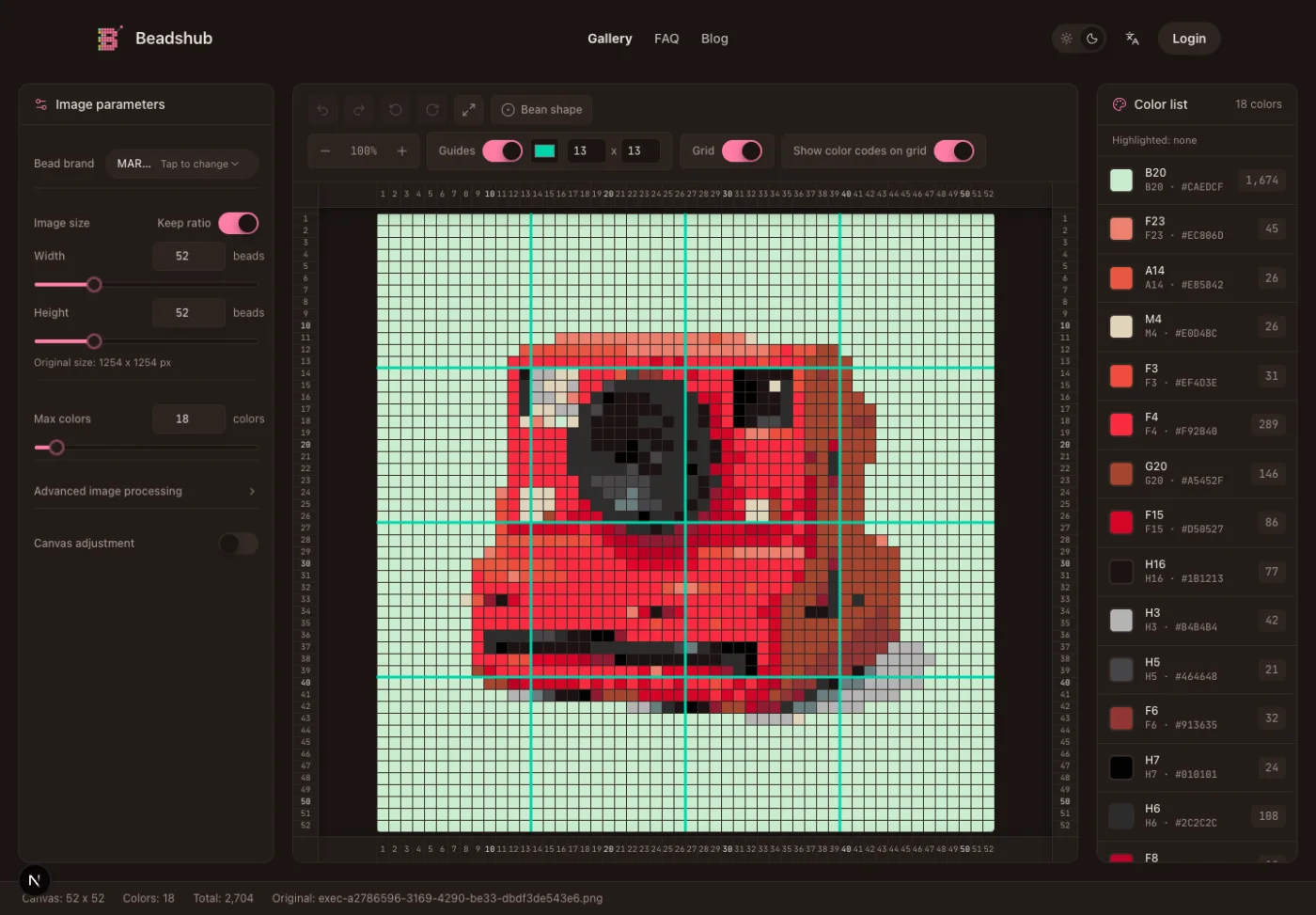
The BeadsHub Perler bead pattern maker converts an image into a grid but grants no rights to the source or character. Upload only material you may adapt.
- Crop tightly around one character or icon.
- Choose a grid that matches the pegboards you can assemble.
- Select the bead brand you will actually use.
- Limit the initial palette so the subject is not filled with one-cell color noise.
- Inspect the silhouette, face, and weak joins.
- Edit stray cells and unavailable colors manually.
- Export only after the board size and bead counts are realistic.
The image-to-pixel-art guide covers crop, grid, palette, and cleanup. The guide to making Perler bead patterns adds editing, color counts, PDF export, and buildability checks.
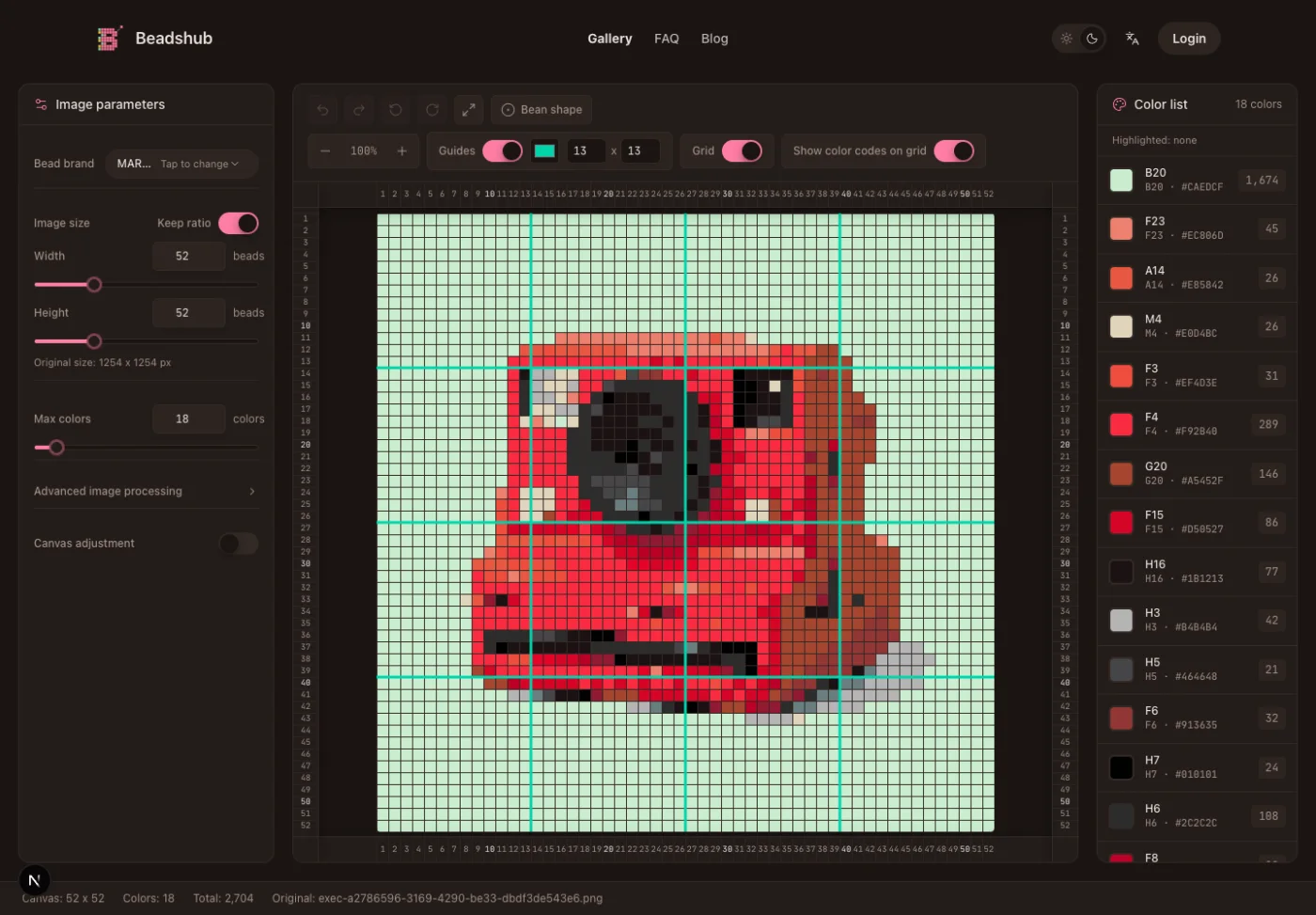
BeadsHub product screenshot. It demonstrates the planning interface with non-Pokémon sample artwork; no third-party Pokémon pattern is embedded in the tool image.
Plan colors around recognition, not every shade
Start with defining colors: Pikachu's yellow, outline, eyes, and cheeks; Eevee's fur and collar; or Mimikyu's restrained neutrals. An Eeveelution lineup needs more color families but can share outline and highlight choices.
Do not copy Perler codes into a Hama, Artkal, or MARD list without checking physical beads. Brand names, colors, and screen swatches differ. The MARD bead color guide explains the distinction.
Count dominant colors before accents. Add spare main colors, but merge a three-cell shade when an existing color works.
Build the pattern in a checkable order
Place beads in this order:
- Mark board corners, centerlines, and important seam crossings.
- Build the outer silhouette in short sections.
- Place eyes, mouth, emblem, and other recognition points.
- Add internal boundaries such as ears, collar, wings, or limbs.
- Fill the largest color fields.
- Add highlights and small accents last.
- Compare the board with the grid row by row before fusing.
Photograph each completed board before fusing so you can recover shifted beads. Keep loose beads away from connected-board joints.
Haunter's hands, eyes, and grin establish recognition before the fill. Scyther uses the same landmark approach, with extra checks at wings and narrow limbs.
Fuse and cool without losing the detail
Follow the instructions for your exact bead and board system. Perler's project instructions generally use a heat-safe surface, ironing paper, a medium iron, continuous circular movement, adult handling, and flat cooling. Test a small swatch because heat response varies.
Work across a large surface instead of finishing one corner first. Check narrow joins and cool flat. Too much heat hides small details; too little leaves ears, wings, or tails ready to split.
The complete ironing guide covers paper, movement, cooling, warping, and repair. An adult must handle the iron.
Pokemon Perler bead pattern FAQ
Where can I find official Pokemon Perler bead patterns?
Kawada's official Perler catalog lists licensed Pokémon sets, including a 19-design Plenty Set and compact Poképeace character sets. Availability may be limited by region. Use the current product page and included pattern sheet rather than a copied PDF or marketplace image.
What is the easiest Pokémon fuse-bead project?
A compact Poké Ball-style icon or Pikachu face is usually the easiest route. Both can use a small palette and strong outline. Choose a design that fits one board, then let an adult handle the fusing step.
Can I make Eevee and every Eeveelution at the same size?
Yes, if you define one shared portrait box and simplify each silhouette to fit it. Test Eevee or one evolution first. A full-body lineup is harder because tails, ears, and body proportions occupy different amounts of space.
Are Pikachu Hama beads the same as a Perler Pikachu pattern?
The grid geometry may transfer when the bead diameter and board spacing are compatible, but the color names and codes do not automatically transfer. Check the Hama palette and boards you own instead of buying from a Perler color list by name.
Can BeadsHub turn any Pokémon image into a pattern?
The converter can technically pixelate an uploaded image, but you are responsible for having permission to use and adapt that source. Automatic output also needs manual cleanup for outlines, facial features, weak joins, board seams, and unavailable colors.
Can I sell finished items made from these patterns?
Do not infer commercial permission from a free image, fan post, or purchased craft kit. Character rights, the pattern or artwork license, and the product terms are separate. Obtain the necessary permission for the intended commercial use.
Good pokemon perler bead patterns begin with a legitimate source and a grid that preserves the character's defining features. Start with one board, verify the palette and fuse on a test piece, and expand to a large character or Eeveelution set only after that smaller workflow is reliable.